Canyon – Long-term Storage
Canyon is a long-term storage system that serves as a cold storage/archive system, similar to AWS Glacier. It can be accessed through Globus and enables you to transfer data from any of your existing Globus endpoints.
Alternatively, it can be accessed through Cyberduck.
Cost
| Storage | Protocols | Purpose | Free Starting Amount | Cost per TB per year |
|---|---|---|---|---|
| Canyon Tape Storage | Globus, DS3 | Archival Storage | N/A | $10 |
Policies
- The long-term storage is not directly accessible via the supercomputer
- All data is kept on-site and is not replicated to secondary storage
- Recall times can vary based on data volume and demand
Usage Guidelines
- Ensure that the data stored complies with our data policy and legal regulations. Canyon does not support storing sensitive data.
- Regular backups of critical data are advised, even though our systems are designed for high reliability.
Canyon is a tape archive, not a file system. Every file you upload becomes its own object on tape, and every object costs tape-drive time to write and, later, to locate and recall. Thousands of small files will upload slowly, recall far more slowly, and degrade the service for everyone.
- Always combine multiple files into a tarball (
.taror.tar.gz) before uploading. This applies to anything with more than one file: directories, datasets, results folders, code, and so on. - Only files larger than a few GB should be uploaded on their own. If a file is smaller than a few GB, it belongs inside a tarball with related data.
- Do not upload, update, or sync individual files. Treat Canyon as write-once. If data changes, create a new, versioned tarball rather than modifying or adding files one at a time.
See Best Practices below for how to prepare your data.
Best Practices
Why file count matters
Tape is very efficient at writing and reading large, continuous streams of data, and very inefficient at handling many small objects. Each file stored on Canyon is tracked and positioned on tape individually, so the cost of storing and recalling your data is driven as much by the number of files as by the total size. One 500 GB tarball will archive and recall far faster than the same 500 GB spread across a million small files.
Rules of thumb
| Situation | What to do |
|---|---|
| A directory or any collection of files | Bundle into a tarball, then upload the tarball |
| A single file smaller than a few GB | Add it to a tarball with related data; do not upload it alone |
| A single file larger than a few GB | May be uploaded on its own |
| Data that changes over time | Upload a new, dated tarball (e.g., project-2026-11.tar); do not overwrite or patch files in place |
| Adding a few new files to an existing archive | Wait until you have enough to make a new tarball rather than uploading them individually |
Create a tarball
Run archiving on a compute node rather than a login node. For large datasets, submit it as a batch job:
#!/bin/bash
#SBATCH -c 4
#SBATCH -t 0-04:00
#SBATCH -p htc

cd /scratch/$USER
tar -cf my_project-2026-11.tar my_project/
- Use plain
tar -cf(no compression) for data that is already compressed or binary (images, video,.gz,.h5, etc.). Compressing it again costs time and saves little space. - Use
tar -czf(gzip) for text-heavy data such as CSVs, logs, or source code, where compression gives a real reduction. - Group data the way you would want to recall it. Recalling one file means recalling the tarball that contains it, so bundle by project, experiment, or date rather than putting everything into one enormous archive.
Verify before you upload
Before transferring a tarball to Canyon, confirm it is complete and readable:
# List the contents (also serves as a searchable index you can keep)
tar -tvf my_project-2026-11.tar > my_project-2026-11.manifest.txt

# Record a checksum so you can verify the data after a future recall
sha256sum my_project-2026-11.tar > my_project-2026-11.tar.sha256
Keep the manifest and checksum files somewhere easy to search, such as your /home or /data directory. They let you find out which archive contains a given file without recalling anything from tape. You may also upload them to Canyon alongside the tarball.
Recalling data
- Recall whole tarballs, then extract the files you need locally.
- Recall times depend on data volume and demand. Plan ahead and do not rely on Canyon for data you need on short notice.
- After a recall, check the tarball against its saved checksum with
sha256sum -c my_project-2026-11.tar.sha256before deleting other copies.
Globus
Ensure you have logged into Globus and can navigate collections. Click here for help Getting started with Globus.
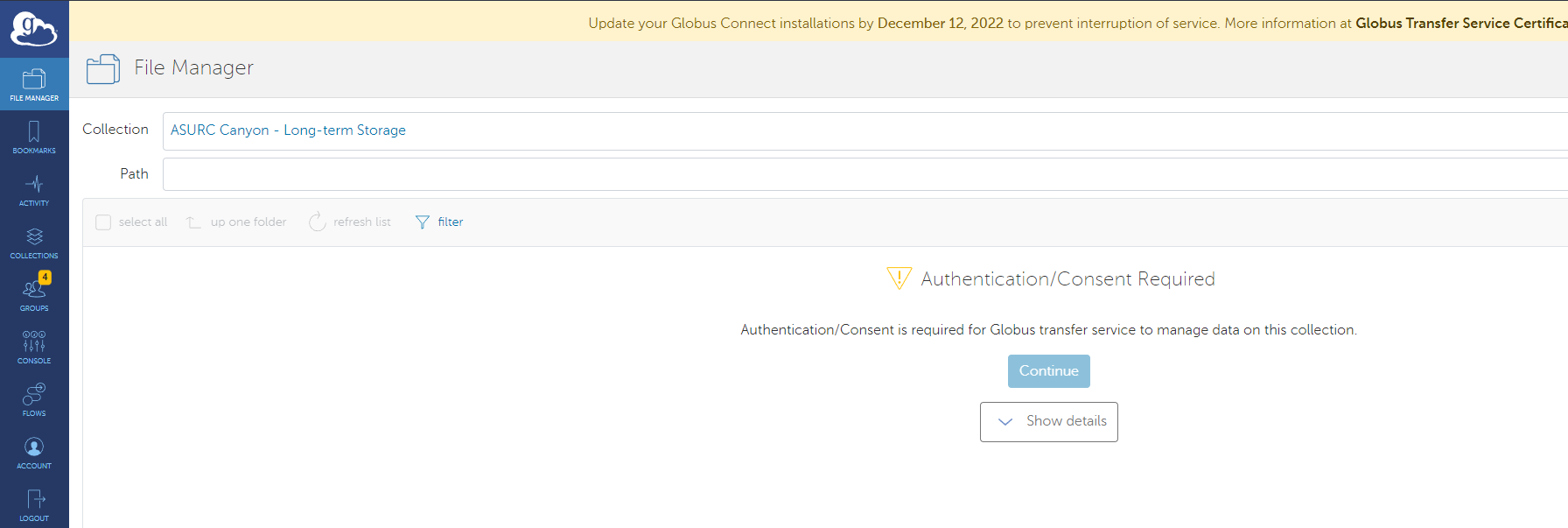
- Once your storage collection is purchased, you will be able to see your "bucket" collection by browsing “ASURC Canyon - Long-term Storage”. The first time you browse this collection you will be asked for authentication consent.
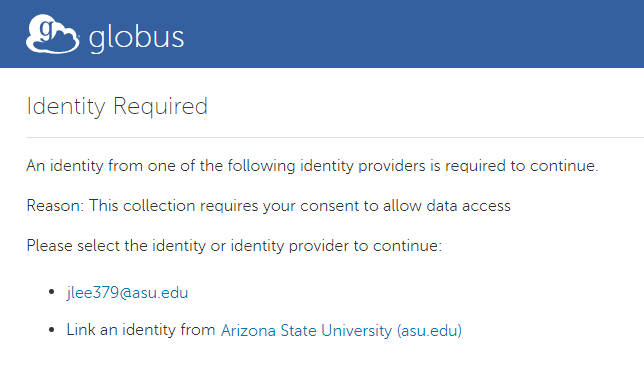
- Upon consenting, you will be asked to link an ASURITE identity. Link this to the identity following the format
ASURITE@asu.edu.
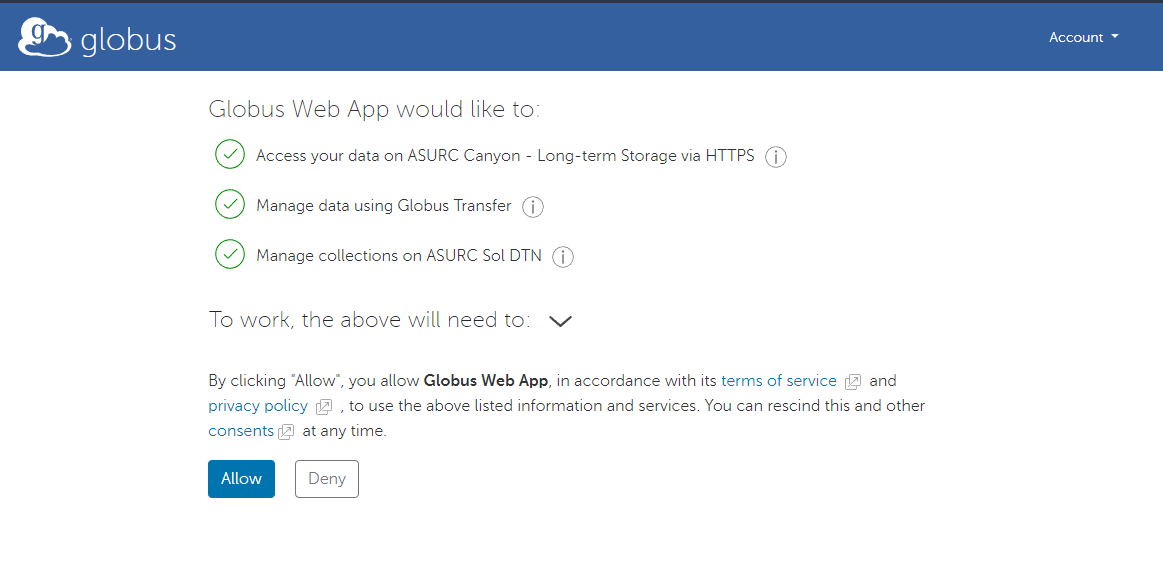
- Allow the Globus Web App access to your files.
- You will then be returned to the file explorer pane where you can transfer your files.
In the Globus file manager, select the tarball you prepared, not a directory full of files. Dragging a whole folder into Canyon uploads every file inside it individually.