Requesting an Account
The ASU SSLVPN is required to connect to the Voyager Account Manager. On-campus networks still require VPN.
There are three tiers of account you can request via the Voyager web portal.
-
An HPC account for access to HPC resources, such as the Sol and Phoenix Supercomputers. Requesting an HPC account requires a sponsor, who will have to approve your request. HPC accounts also include LLM API access.
-
A PI account for access to HPC resources, such as the Sol and Phoenix Supercomputers. This account is able to sponsor other accounts, and manage research group(s).
-
A Non-HPC account or LLM API account grants access to using various LLM models you can use with your workstation or other applications. These are available to all users with an ASURITE username.
Choose an Account Type
Upon loading the Voyager web portal, you have a choice between an HPC account, a PI account, and an LLM API account:

Identify your HPC Sponsor
If you have selected an HPC account, you will be prompted for your sponsor. For LLM API and PI accounts, this page is skipped.
Type in the name, email, or ASURITE of your HPC Sponsor.

Accept the Terms of Use
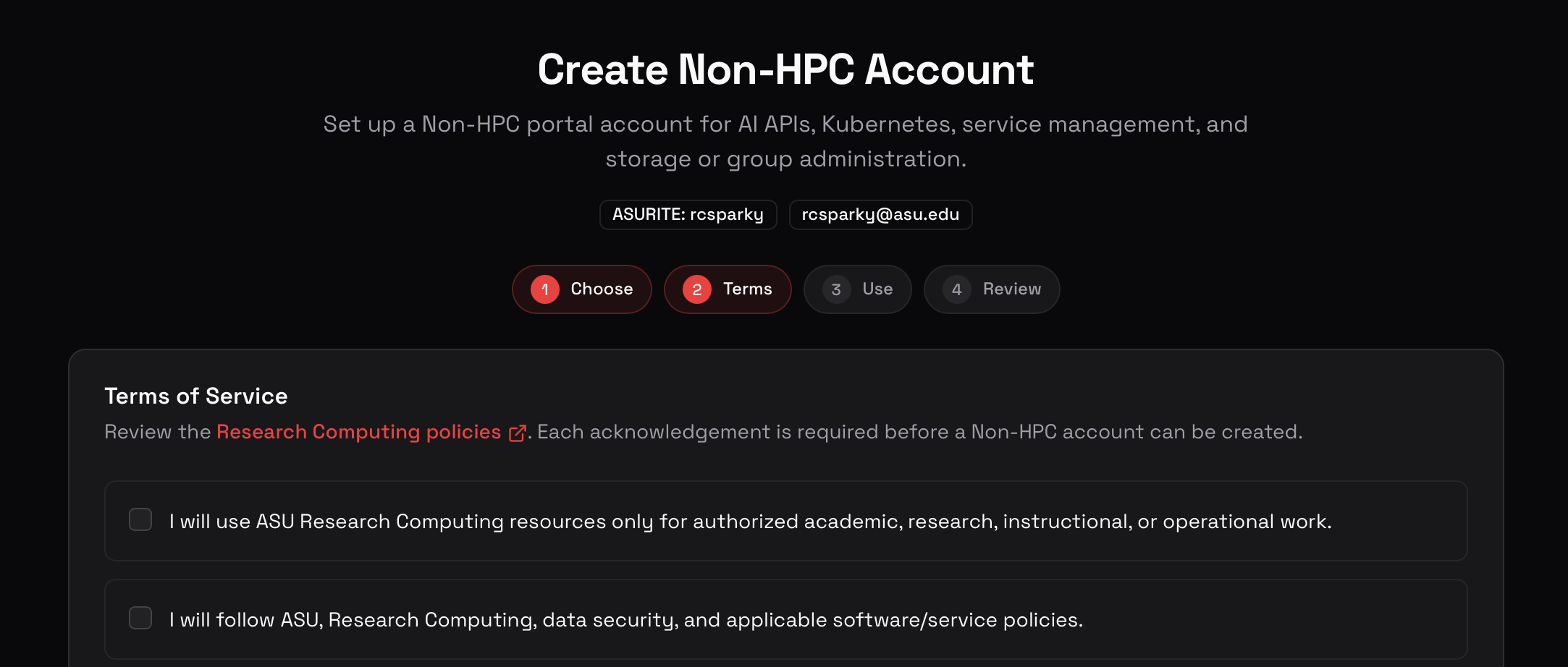
Establish your intended use cases

Review and Submit
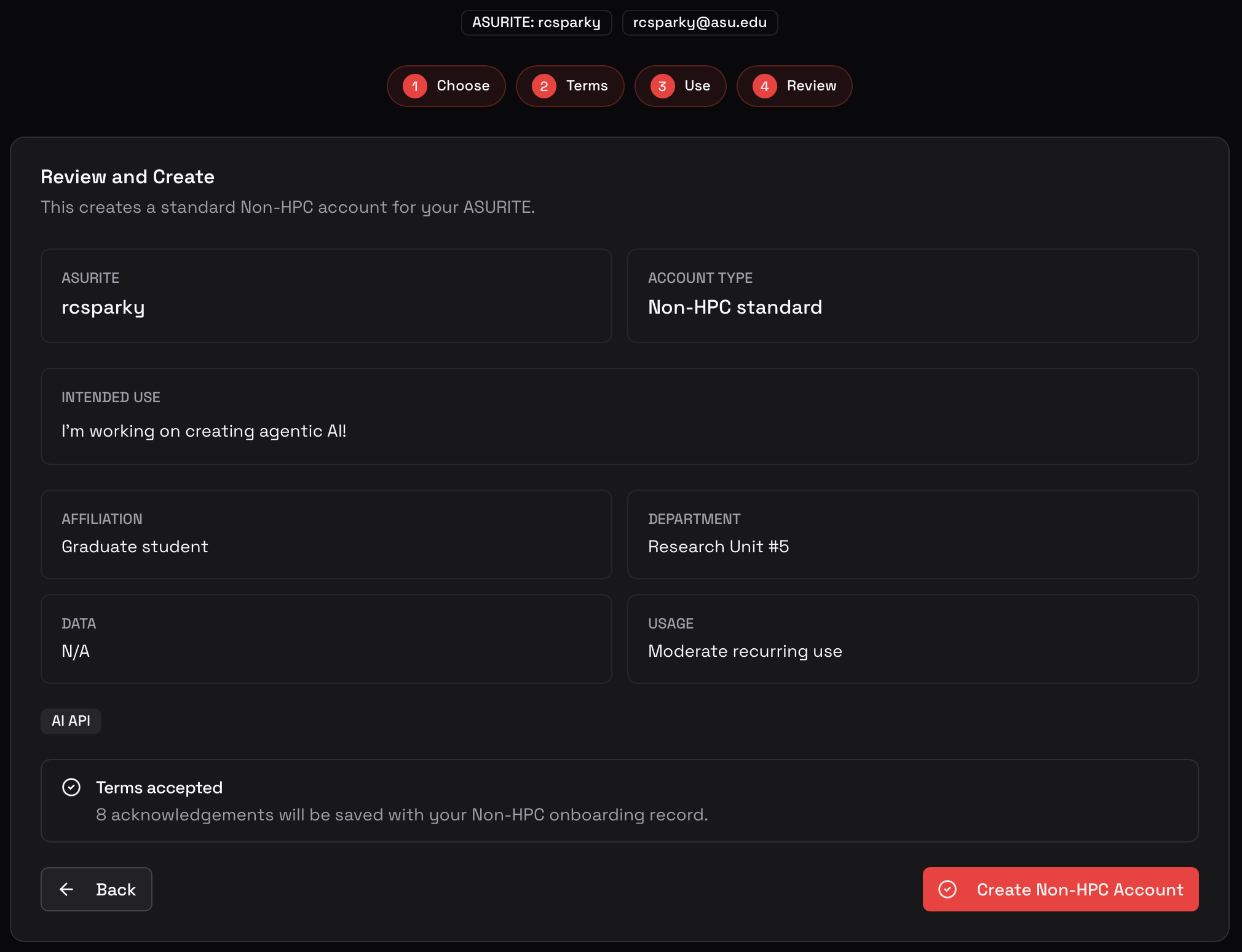
After submitting, an LLM account will be immediately available. For a PI account, await confirmation from RC. For an HPC user account, wait for your PI's approval of your addition to their group.
Submission complete - Await approval
You can return to this page to see the progress of your account creation at any time.
